🪴 #2 | Monitoring Mint with Microcontrollers running TinyGo
This is part 2, read part 1 first.
When I left the project last time, we connected a moisture sensor to a XIAO ESP32C3 microcontroller and wrote two Go programs: one TinyGo programs that read data from the sensor, and another normal Go relay deployed to the cloud that gets an HTTP moisture reading and sends it to a Telegram bot.
Now that we have some of the components working and some of the software written, what’s left to do?
- 1. Get Wi-Fi working, then send a notification sent from the microcontroller somewhere.
- 2. Read raw moisture values from the sensor all the way to Telegram.
- 3. Calibrate the values. When is it actually dry?
- 4. Move to battery power instead of USB power.
- 5. “Deploy” the microcontroller and sensor to the plant.
Let’s do it!
1. Hello, Internet!
The TinyGo project has the espradio package for networking. I have WiFi at home, so I’ll just try to connect the chip to the WiFi and send an HTTP package. I thought this would be super quick.
This part involved a lot of iterating and improving, and I discovered what I think are 2 bugs in TinyGo while working on it. I ran into problems in nearly every layer of the network stack. But lets start in the beginning: getting an IP.
Getting an IP
Add the networking dependencies:
go get tinygo.org/x/espradio
go mod tidy
And let’s add some network stack code to the current firmware:
import (
  // ...
  "tinygo.org/x/drivers/netdev"
	nl "tinygo.org/x/drivers/netlink"
	link "tinygo.org/x/espradio/netlink"
)

var (
	ssid        string
	password    string
)

func connectToWiFi(ssid, password string) *link.Esplink {
	link := &link.Esplink{}
	netdev.UseNetdev(link)
	passwordHint := password[:3]
	log.Printf("Connecting to WiFI with SSID %s and password hint %s...\n", ssid, passwordHint)
	err := link.NetConnect(&nl.ConnectParams{Ssid: ssid, Passphrase: password})
	if err != nil {
		log.Panicf("Failed to connect to WiFi: %v\n", err)
	}
	return link
}
The SSID and password are passed via “linker variables” with the -X flag to ldflags, so we don’t hardcode them. While doing this I made a tiny syntax mistake that led to a panic.
In the code, I did this:
var (
	ssid     string
	password string
)

	// omitted...
	passwordHint := password[3:]
	fmt.Printf("Connecting to WiFI with SSID %s and password hint %s...", ssid, passwordHint)
When trying to run, it led to:
panic: runtime error at 0x420217cc: slice out of range
[tinygo: panic at /Users/shay/Desktop/code/tinygo-mint-monitor/firmware/main.go:30:86]

Luckily I learned in a recent Cup o’ Go episode that recover is now supported in TinyGo 0.42:
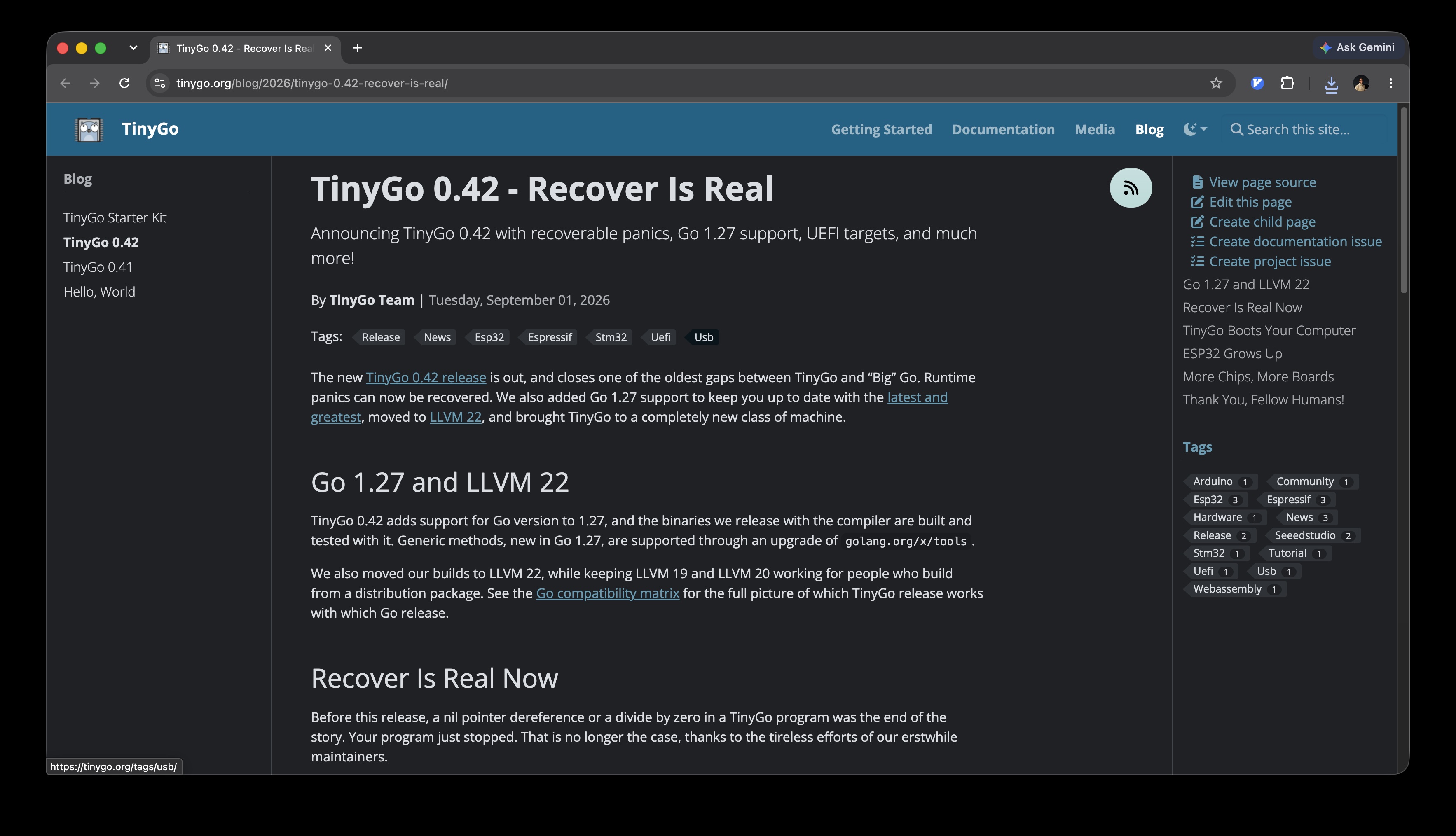
So I replaced main with start, and used recover to handle panics in the new main function:
func main() {
	defer func() {
		if r := recover(); r != nil {
			fmt.Printf("Recovered: %v\n", r)
		}
	}()
	start()
}
Which changed the output to Recovered: slice out of range. Then I added error handling code to the variables:
	if ssid == "" {
		fmt.Println("SSID is empty")
		return
	}
	if password == "" {
		fmt.Println("Password is empty")
		return
	}
So now the output is even better Password is empty. But why is it empty? Instead of writing the correct ldflags format:
tinygo flash \
  -target=xiao-esp32c3 \
  -ldflags "-X main.ssid=NicestWifiInTown -X main.password=..." \
  -monitor .
I wrote the incorrect:
tinygo flash \
  -target=xiao-esp32c3 \
#                                        |
#      MISSING THE `-X` HERE             |
#                                       \ /
  -ldflags "-X main.ssid=NicestWifiInTown main.password=..." \
  -monitor .
After fixing that, it worked!
Connecting to WiFI with SSID NicestWifiInTown and password hint ...
#0:	Moisture value: 65520	IP: 192.168.1.87
#1:	Moisture value: 65520	IP: 192.168.1.87
#2:	Moisture value: 65520	IP: 192.168.1.87
However, every 2nd time I flashed the chip, it would fail to connect to WiFi with assoc failed. At first I just tried to add retries, but that didn’t work:
1970/01/01 00:00:01 Try #1: Connecting to WiFI with SSID NicestWifiInTown and password hint 669...
1970/01/01 00:00:04 Failed to connect to WiFi: espradio: assoc failed
1970/01/01 00:00:07 Try #2: Connecting to WiFI with SSID NicestWifiInTown and password hint 669...
1970/01/01 00:00:07 Failed to connect to WiFi: espradio: radio already enabled
What gives? To test it, I set up a hotspot from my phone that forces 2.4 GHz WiFi, instead of the 5 GHz I have on my home router:
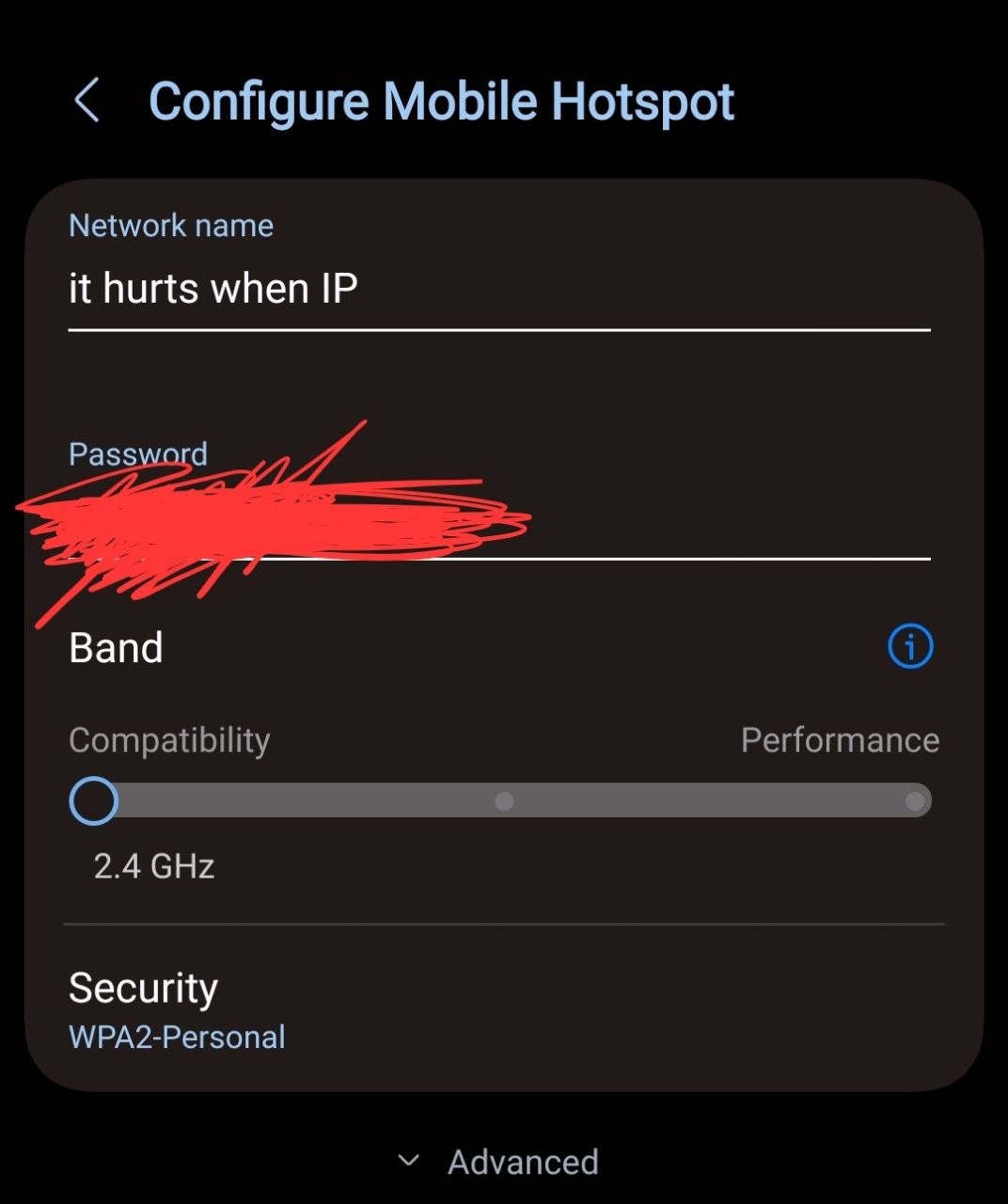
But that still failed intermittently, but on “soft” reboots (just flashing the chip) and “cold” reboots (power cycling the chip by disconnecting and reconnecting the USB cable from my laptop).
I couldn’t figure out why it was failing, so I decided to do something else instead and clean up my desk a little bit. And that’s when I saw this little bag:
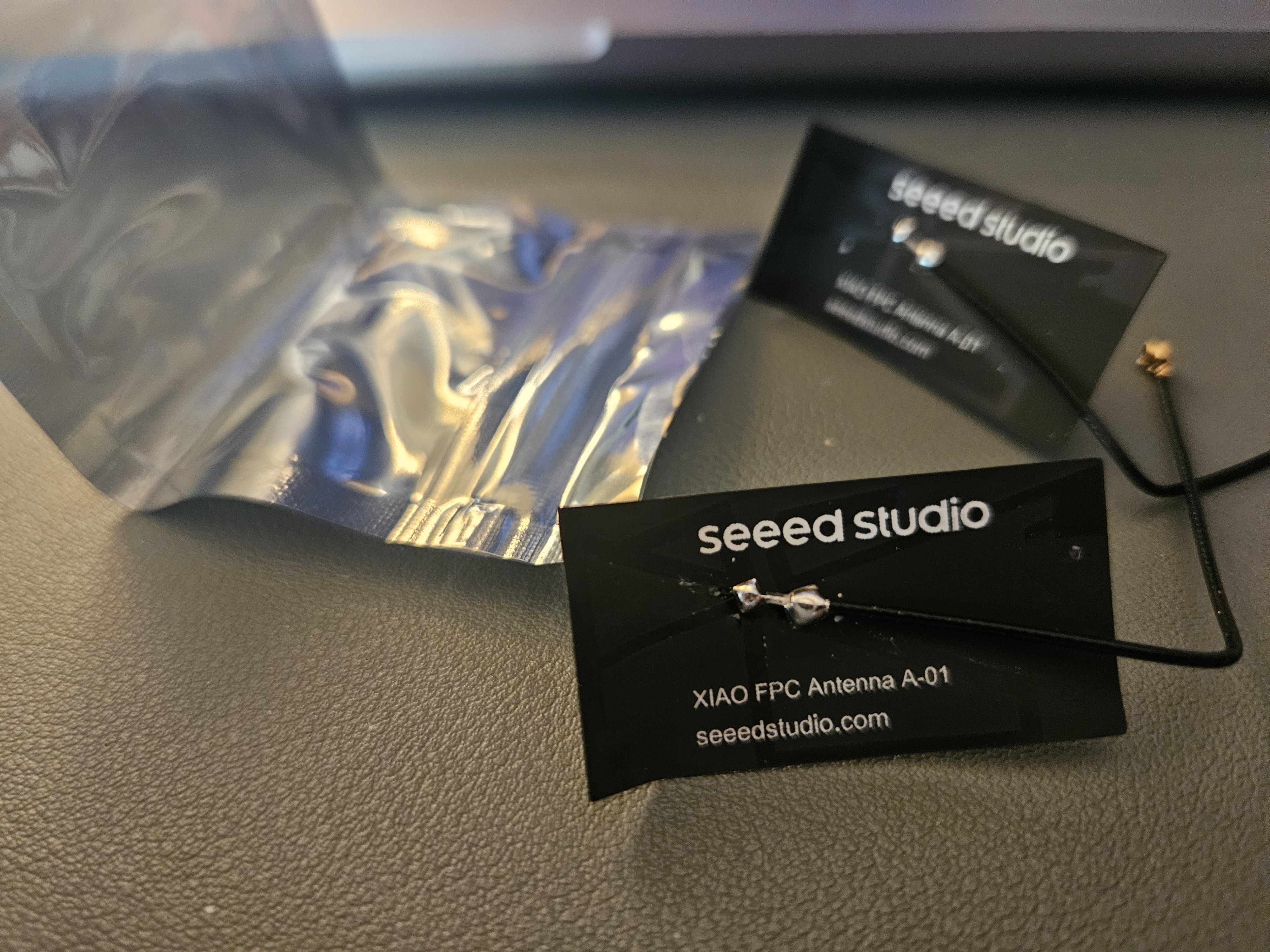
…How stupic am I? I forgot to attach the antenna. When reading the docs, literally the first step is:
Step 1. Connect the included WiFi/ Bluetooth antenna to the IPEX connector on the board
🤦️. After plugging it in and testing again… It still exhibited the exact same behaviour; one time it connects, second time it gets the assoc failed.
I hate leaving this bug open, but… I feel like I’ve investigated enough for now. Maybe I’ll get back to it. Using an LLM, I wrote myself a “handoff” document to summarize all the tests I’ve done, but if the workaround is “do a couple of restarts”, it’s not the end of the world.
Sending an HTTP request
DNS CNAME bug
First one was that for some reason, DNS worked from my machine but not from the chip? Then when testing DNS specifically with this snippet:
	for _, host := range []string{
		"httpbin.org",
		"mrnice.dev",
		// omitting the actual domain
		"la...c0.koyeb.app",
	} {
		ip, err := link.GetHostByName(host)
		if err != nil {
			log.Printf("DNS %s: FAILED: %v", host, err)
		} else {
			log.Printf("DNS %s: %s", host, ip)
		}
	}
It was able to resolve httpbin.org and mrnice.dev but not la...c0.koyeb.app.

What gives? Must be something specific to how TinyGo handles the DNS resolution from Koyeb. Let’s DIG!
❯ dig la...c0.koyeb.app

; <<>> DiG 9.10.6 <<>> la...c0.koyeb.app
;; global options: +cmd
;; Got answer:
;; ->>HEADER<<- opcode: QUERY, status: NOERROR, id: 42679
;; flags: qr rd ra; QUERY: 1, ANSWER: 3, AUTHORITY: 0, ADDITIONAL: 1

;; OPT PSEUDOSECTION:
; EDNS: version: 0, flags:; udp: 1232
;; QUESTION SECTION:
;la...c0.koyeb.app. IN A

;; ANSWER SECTION:
la...c0.koyeb.app. 164 IN CNAME prod-glb.koyeb.app.cdn.cloudflare.net.
prod-glb.koyeb.app.cdn.cloudflare.net. 99 IN A	104.20.31.27
prod-glb.koyeb.app.cdn.cloudflare.net. 99 IN A	172.66.172.174

;; Query time: 3 msec
;; SERVER: 2600:1700:38c2:18a0::1#53(2600:1700:38c2:18a0::1)
;; WHEN: Sat Sep 12 15:54:58 PDT 2026
;; MSG SIZE  rcvd: 157
OK, so it’s a CNAME. Reading through the espradio/netlink/netlink.go source code, I found the GetHostByName. I continued following the call chain. The indirection is tinygo-org/net -> netdev -> netlink.Esplink -> lneto. Esplink.GetHostByName does:
func (n *Esplink) GetHostByName(name string) (netip.Addr, error) {
    ...
    rstack := n.rstack()
    addrs, err := rstack.DoLookupIP(name, 5*time.Second, 3)
    ...
    return addrs[0], nil
}
And rstack is:
import (
	"github.com/soypat/lneto"
	"github.com/soypat/lneto/x/xnet"
	//... and others
)

func (n *Esplink) rstack() xnet.StackRetrying {
    return n.netstack.LnetoStack().StackRetrying(pollBackoff)
}
So lneto is where the DNS resolution actually happens. RTFM, and after reading the README of lneto, I found out that CNAMEs are not supported. In the Protocol Support Matrix section, DNS client has the following note:
Protocol: DNS, Status: ✅, notes: Client (A/AAAA query)
I think that the error message is bad and unfriendly. No way everyone who wants to resolve CNAMEs in TinyGo have to go through the research I just did! So I opened an issue for lneto to fix or improve the error: soypat/lneto#201: DNS: DoLookupIP returns ErrInvalidAddr for A/AAAA responses containing CNAMEs, maybe fix or improve the errors.
As a workaround, we’ll just have to do it manually; I changed the notify function to use a separate relayHost (for the HTTP request header so Koyeb’s proxy can proxy the request correctly to my app) and relayNetworkHost (for the actual HTTP request):
func notify(status string) error {
	requestUrl := url.URL{
		Scheme: "http",
		Host:   relayNetworkHost,
		Path:   "/notify",
	}
	// ...
	req, err := http.NewRequest(http.MethodGet, requestUrl.String(), nil)
	if err != nil {
		return fmt.Errorf("create request: %w", err)
	}
	// Tell Koyeb/Cloudflare which application we actually want.
	req.Host = relayHost
But… That didn’t work, too!
req.Host value used as network host bug
The req.Host value was being used as the network host itself. This led me down ANOTHER rabbit hole, that led to ANOTHER issue! tingo-org/net#85: net/http client uses Request.Host as dial target instead of Request.URL.Host.
In normal net/http Go code (that doesn’t use the TinyGo implementation), there’s a distinction between Request.Host and Request.URL.Host:
For client requests, the URL’s Host specifies the server to connect to, while the Request’s Host field optionally specifies the Host header value to send in the HTTP request.
In the standard library net/http.Transport, the connection target is derived from the request URL:
func (t *Transport) connectMethodForRequest(
    treq *transportRequest,
) (cm connectMethod, err error) {
    cm.targetScheme = treq.URL.Scheme
    cm.targetAddr = canonicalAddr(treq.URL)
    // ...
}
To prove it here’s some repro code:
package main

import (
	"context"
	"fmt"
	"log"
	"net"
	"net/http"
)

func main() {
	ln, err := net.Listen("tcp", "127.0.0.1:0")
	if err != nil {
		log.Fatal(err)
	}
	defer ln.Close()

	srv := &http.Server{
		Handler: http.HandlerFunc(func(w http.ResponseWriter, r *http.Request) {
			fmt.Printf("server: Received Host header: %q\n", r.Host)
			fmt.Printf("server: Full request: %+v\n", r)
			fmt.Fprintln(w, "ok")
		}),
	}
	defer srv.Shutdown(context.Background())
	go srv.Serve(ln)

	req, err := http.NewRequest(
		http.MethodGet,
		"http://"+ln.Addr().String()+"/",
		nil,
	)
	if err != nil {
		log.Fatal(err)
	}

	req.Host = "does-not-resolve.invalid"

	transport := http.DefaultTransport.(*http.Transport).Clone()
	dial := transport.DialContext
	transport.DialContext = func(
		ctx context.Context,
		network, addr string,
	) (net.Conn, error) {
		fmt.Printf("client: dialing: %q\n", addr)
		return dial(ctx, network, addr)
	}

	client := &http.Client{Transport: transport}

	resp, err := client.Do(req)
	if err != nil {
		log.Fatal(err)
	}
	defer resp.Body.Close()

	fmt.Printf("client: response: %s\n", resp.Status)
}
This prints:
client: dialing: "127.0.0.1:64823"
server: Received Host header: "does-not-resolve.invalid"
server: Full request: &{Method:GET URL:/ Proto:HTTP/1.1 ProtoMajor:1 ProtoMinor:1 Header:map[Accept-Encoding:[gzip] User-Agent:[Go-http-client/1.1]] Body:{} GetBody:<nil> ContentLength:0 TransferEncoding:[] Close:false Host:does-not-resolve.invalid Form:map[] PostForm:map[] MultipartForm:<nil> Trailer:map[] RemoteAddr:127.0.0.1:64824 RequestURI:/ TLS:<nil> Cancel:<nil> Response:<nil> Pattern: ctx:0x7028c56de0a0 pat:<nil> matches:[] otherValues:map[]}
client: response: 200 OK
Highlighting that Host differs from RemoteAddr!
However, when running very similar code in TinyGo:
package main

import (
	"fmt"
	"log"
	"net/http"
	"time"

	"tinygo.org/x/drivers/netdev"
	nl "tinygo.org/x/drivers/netlink"
	link "tinygo.org/x/espradio/netlink"
)

var (
	ssid     string
	password string
)

func main() {
	time.Sleep(time.Second)

	wifi := &link.Esplink{}
	netdev.UseNetdev(wifi)

	log.Printf("Connecting to WiFi %q...", ssid)

	if err := wifi.NetConnect(&nl.ConnectParams{
		Ssid:       ssid,
		Passphrase: password,
	}); err != nil {
		log.Fatalf("connect WiFi: %v", err)
	}

	// This hostname resolves normally.
	const target = "http://httpbin.org/get"

	req, err := http.NewRequest(http.MethodGet, target, nil)
	if err != nil {
		log.Fatalf("create request: %v", err)
	}

	// This should ONLY override the HTTP Host header.
	//
	// Under normal Go net/http semantics, the TCP connection should still
	// be made to httpbin.org.
	req.Host = "does-not-resolve.invalid"

	fmt.Printf("URL.Host: %q\n", req.URL.Host)
	fmt.Printf("Request.Host: %q\n", req.Host)

	resp, err := http.DefaultClient.Do(req)
	if err != nil {
		log.Fatalf("request failed: %v", err)
	}
	defer resp.Body.Close()

	fmt.Printf("Got HTTP response: %s\n", resp.Status)
}
When flashed, has this output:
❯ tinygo flash -target=xiao-esp32c3 -ldflags "-X main.ssid=NicestWifiInTown -X main.password=669" -monitor tinygo-repro-http-bug.go
// Flashing progress omitted...
1970/01/01 00:00:01 Connecting to WiFi "NicestWifiInTown"...
URL.Host: "httpbin.org"
Request.Host: "does-not-resolve.invalid"
1970/01/01 00:00:03 request failed: Lookup of host name 'does-not-resolve.invalid' failed: name error
Since I opened the ticket, I needed to find a workaround; decided to “go low” and use lower level network methods; use net.Dial and bufio writer/reader pair to send HTTP requests, instead of the (appearantely faulty) http.Client.
func notify(status string) error {
	requestURL := url.URL{
		Path: "/notify",
	}

	query := url.Values{}
	query.Set("plant", plant)
	query.Set("status", status)
	query.Set("secret", relaySecret)
	requestURL.RawQuery = query.Encode()

	// Connect to the hostname that espradio can resolve.
	conn, err := net.Dial("tcp", relayNetworkHost+":80")
	if err != nil {
		return fmt.Errorf("dial relay: %w", err)
	}
	defer conn.Close()

	// But tell Cloudflare/Koyeb which virtual host we actually want.
	req := &http.Request{
		Method: http.MethodGet,
		URL:    &requestURL,
		Host:   relayHost,
		Header: make(http.Header),
	}

	writer := bufio.NewWriter(conn)

	if err := req.Write(writer); err != nil {
		return fmt.Errorf("write request: %w", err)
	}

	if err := writer.Flush(); err != nil {
		return fmt.Errorf("flush request: %w", err)
	}

	reader := bufio.NewReader(conn)

	resp, err := http.ReadResponse(reader, req)
	if err != nil {
		return fmt.Errorf("read response: %w", err)
	}
	defer resp.Body.Close()

	body, err := io.ReadAll(resp.Body)
	if err != nil {
		return fmt.Errorf("read response body: %w", err)
	}

	if resp.StatusCode != http.StatusOK {
		return fmt.Errorf(
			"unexpected status %s: %s",
			resp.Status,
			string(body),
		)
	}

	log.Printf("Notified: %s", string(body))
	return nil
}
2. E2E testing
Finally, I was able to send requests from the chip, to the relay, all the way to my Telegram bot, ending up with these messages:
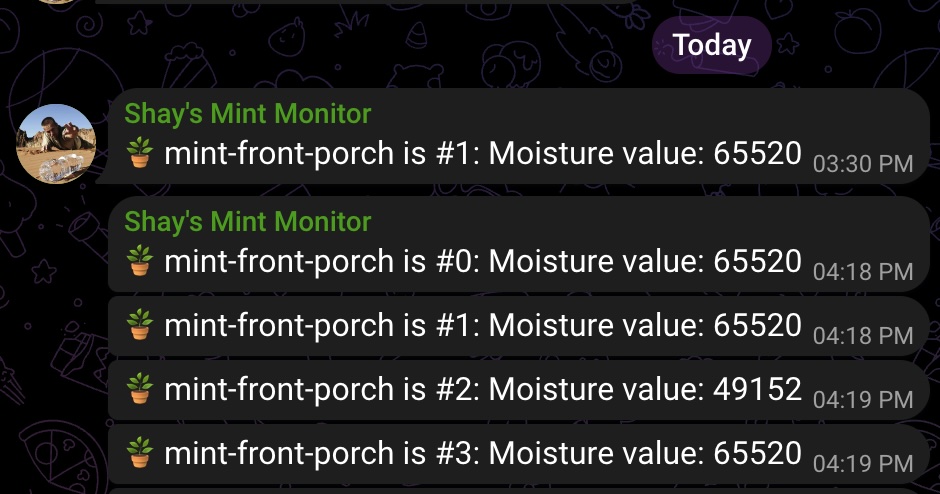
Where 65520 is when the sensor is just lying on the desk, and the other numbers are when I held it in my (relatively clammy) hand.
Also checked that the WiFi connection was working as expected even in the front porch:
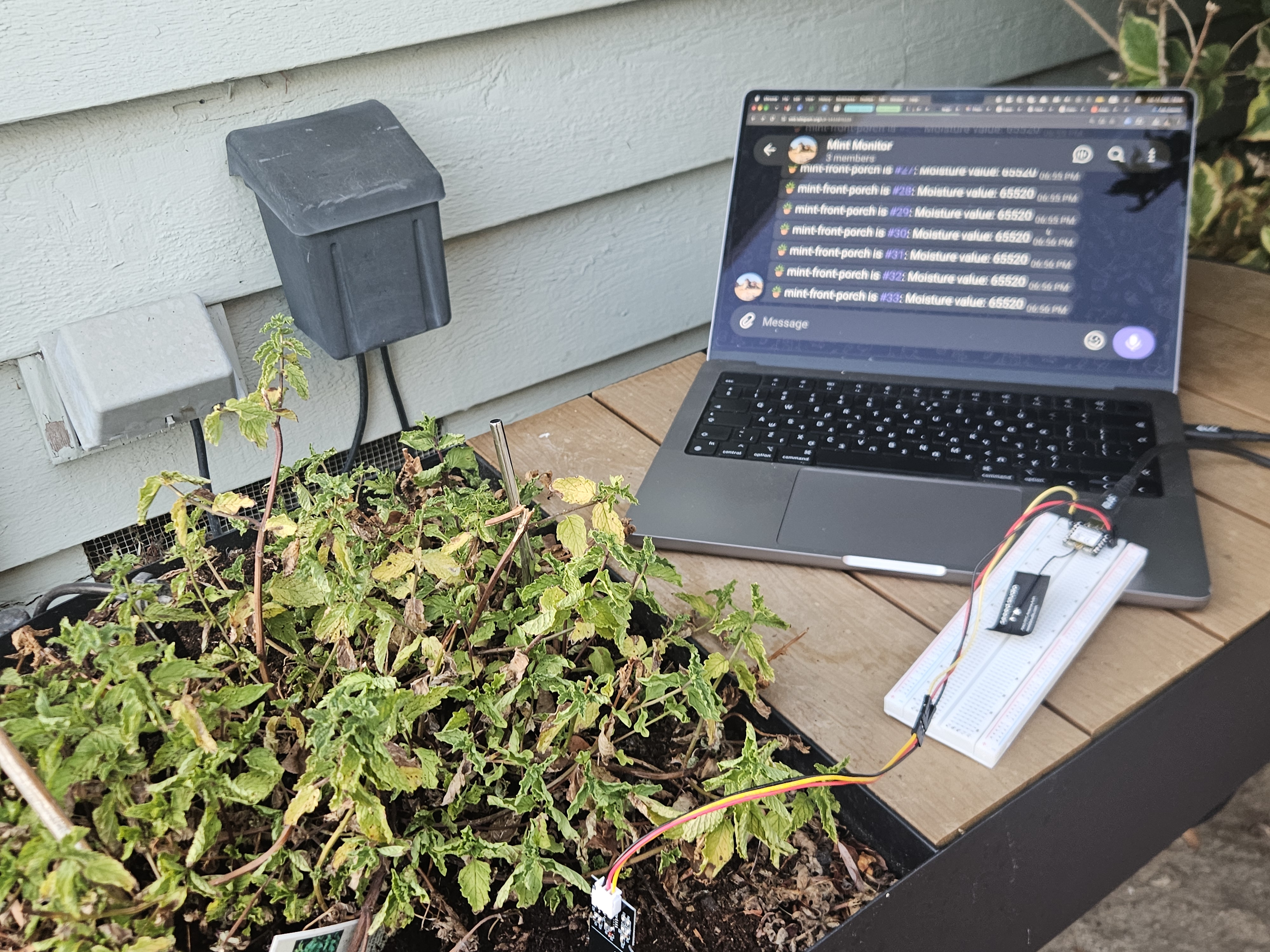
Works!
3. Calibrating the values & improving the UX
I wanted to test what “dry” and “wet” values actually mean. Started by reading the documentation of the sensor itself. Surprisingly (but matching our observations), the sensor’s output is inversely proportional to the moisture level.
“A higher voltage typically indicates drier soil, while a lower voltage indicates wetter soil.”
What about the absolute numbers we’re seeing? I tested them with a glass of water:
Is there any point in configuring the “ADC” (analog-to-digital converter) values in the TinyGo code? The ADC struct offers these options:
type ADCConfig struct {
	Reference  uint32 // analog reference voltage (AREF) in millivolts
	Resolution uint32 // number of bits for a single conversion (e.g., 8, 10, 12)
	Samples    uint32 // number of samples for a single conversion (e.g., 4, 8, 16, 32)
	SampleTime uint32 // sample time, in microseconds (µs)
}
These seemed cool to play around with, so I dug into the code… only to find out that this config isn’t used at all 😅️ From tinygo-org/tinygo/src/machine/machine_esp32c3_adc.go#L43:
// ESP32-C3: ADC1 = GPIO0–GPIO4 (ch 0–4), ADC2 = GPIO5 (ch 0). ADC2 shares with Wi‑Fi;
// readings may be noisy when Wi‑Fi is active.
func (a ADC) Configure(config ADCConfig) error {
	if a.Pin > 5 {
		return errors.New("invalid ADC pin for ESP32-C3")
	}
	a.Pin.Configure(PinConfig{Mode: PinAnalog})
	return nil
}
So ADC isn’t configurable. In Get(), the conversion is hardcoded to uint16(raw&0xfff) << 4. That means that our ADC has \( 2 ^ {12} = 4096 \) possible “codes” - 12-bits of raw values, that are unitless integers. The hardcoded TinyGo ESP32-C3 configuration sets the attenuation to \( 11 dB \) . We can do some math to reverse-engineer which “raw” values mean which voltage:
$$ (raw \mathbin{\&} 0xfff) \ll 4 = 65520 $$
$$ raw = 65520 \gg 4 = \frac{65520}{16} = 4095 $$
$$ (raw \mathbin{\&} 0xfff) \ll 4 = 46016 $$
$$ raw = 46016 \gg 4 = \frac{46016}{16} = 2876 $$
$$ X_{\text{dry}} = 4095,\qquad X_{\text{wet}} = 2876 $$
So with the attenuation, we understand that the 0-3V is “lowered” by a factor of minus 0.28 (ish), since the attenuation factor is 11 dB (dB measures the reduction or loss of signal strength). And that values for dry are capped (because we shift). And… turns out that they don’t really matter? We can just measure the raw ADC value and map it to “dry/wet” as is.
Cool diversion, but decided to grugbrain.dev the solution. So we end up with the, admittedly, underwhelming method:
func translateMoistureValue(value uint16) string {
	if value > 65500 {
		return "very dry"
	} else if 55000 < value && value <= 65500 {
		return "dry"
	} else if 50000 < value && value <= 55000 {
		return "somewhat dry"
	} else if 45000 < value && value <= 50000 {
		return "somewhat wet"
	} else if 0 < value && value <= 45000 {
		return "wet"
	}
	return "invalid"
}
To improve the UX, I also added uptime tracking, with the go-humanize package, tried to run it again with all the debug logs, bells, and whistles, aaaaaaaaaaaaaaaand…
fatal error: out of memory

I guess too many debug features and logs (I still had all the networking debug logs turned on with -tags=netlinkdebug \). After turning those and other logs off, it still died after running just 2 or 3 requests. So I deleted the go-humanize dependency: rounded number of seconds was good enough for my father, so its good enough for me! Kids these days. Deleted even more logs, but it still died.
After crawling the issue tracker, I eventually added runtime.GC() calls in every loop. Turns out that there’s a known issue with OOMs in TinyGo net.http, and the manual GC was the thing that solved it:
1970/01/01 00:00:05 very dry (65520) [0: uptime: 4s] notified
1970/01/01 00:00:15 very dry (65520) [1: uptime: 15s] notified
1970/01/01 00:00:26 very dry (65520) [2: uptime: 26s] notified
1970/01/01 00:00:36 very dry (65520) [3: uptime: 36s] notified
1970/01/01 00:00:47 very dry (65520) [4: uptime: 47s] notified
1970/01/01 00:00:57 very dry (65520) [5: uptime: 57s] notified
1970/01/01 00:01:08 very dry (65520) [6: uptime: 1m8s] notified
1970/01/01 00:01:18 very dry (65520) [7: uptime: 1m18s] notified
1970/01/01 00:01:29 very dry (65520) [8: uptime: 1m29s] notified
1970/01/01 00:01:39 very dry (65520) [9: uptime: 1m39s] notified
1970/01/01 00:01:50 somewhat wet (48576) [10: uptime: 1m50s] notified
1970/01/01 00:02:00 somewhat wet (48128) [11: uptime: 2m0s] notified
In Telegram:
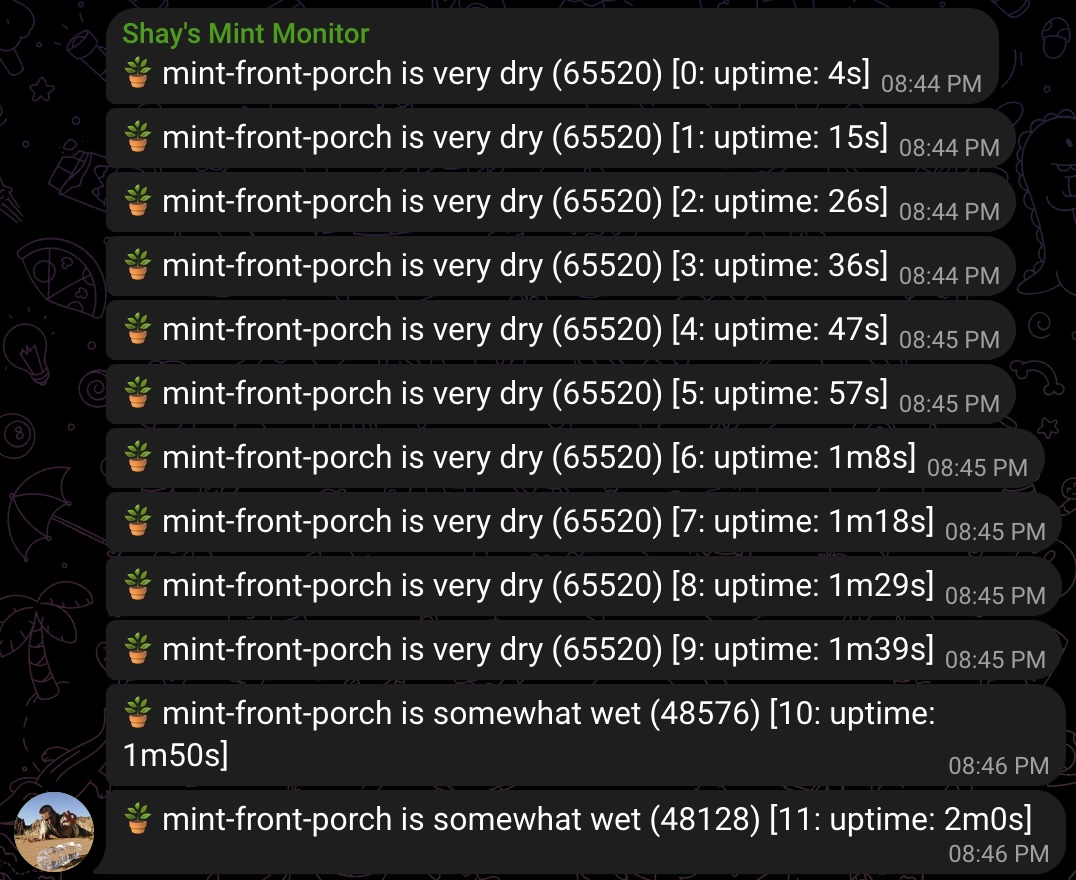
OK! As far as I can tell, the hardware and the software are doing what they should. Now onwards to power and deployment!
4. Power
Turns out that the “low power”/“deep sleep” idea won’t work with the ESP32 and TinyGo. While Espressif documents esp_deep_sleep_start() on the C3, according to TinyGo’s docs on low power:
Some limited chips (like the esp32) can’t really “sleep” with low power – they can disable the core and memory and reset after a predefined time losing state stored in memory.
But that’s fine. With 3 AA batteries, it will last… like 3 days? That’s good enough for me for the PoC, even though I’ll probably have to replace them every 3 days or so. I wish I know this ahead of time - I would have grabbed a different microcontroller: one that supports deep sleep with low power, like the Nordic Semiconductor ones.
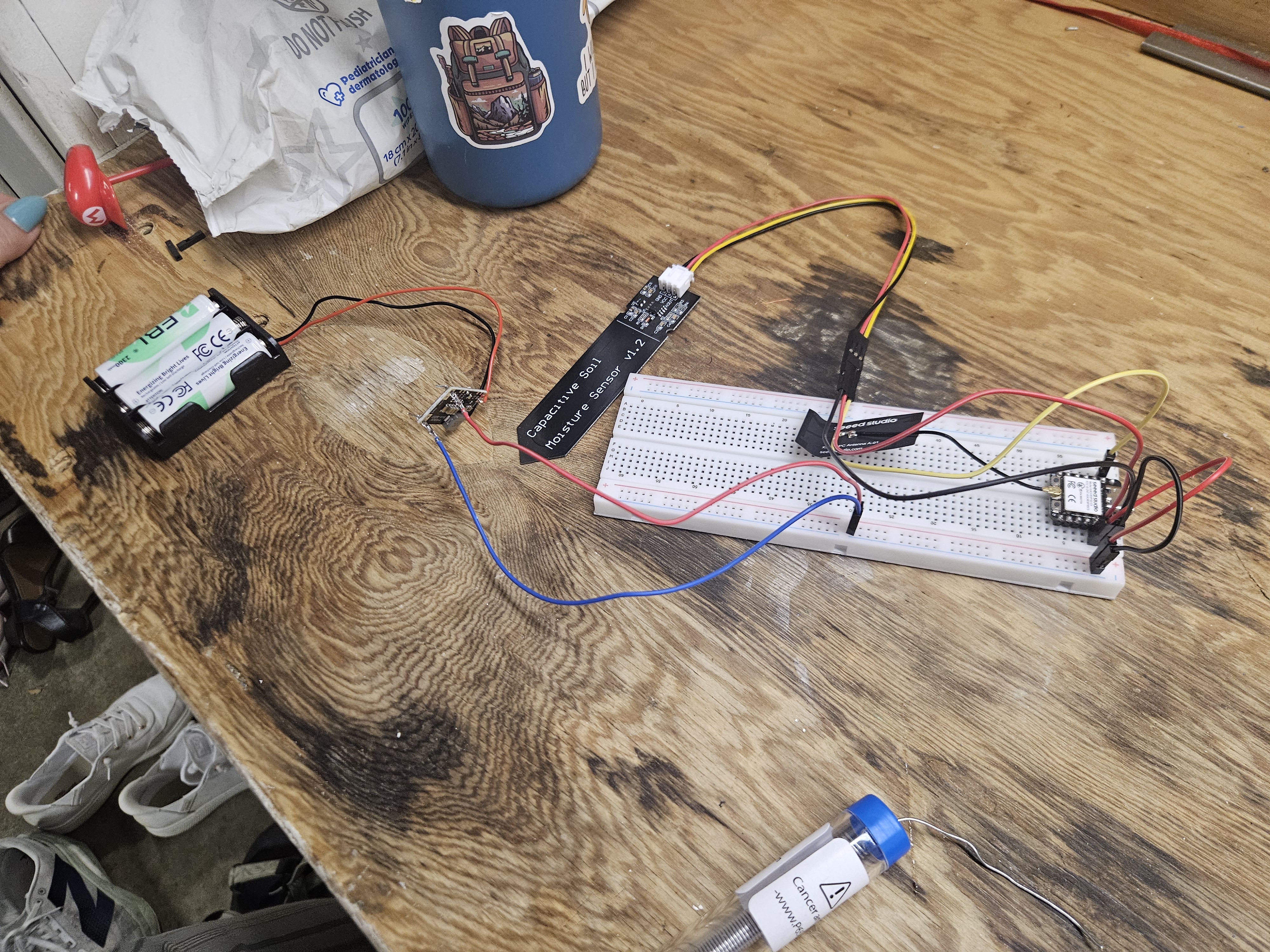
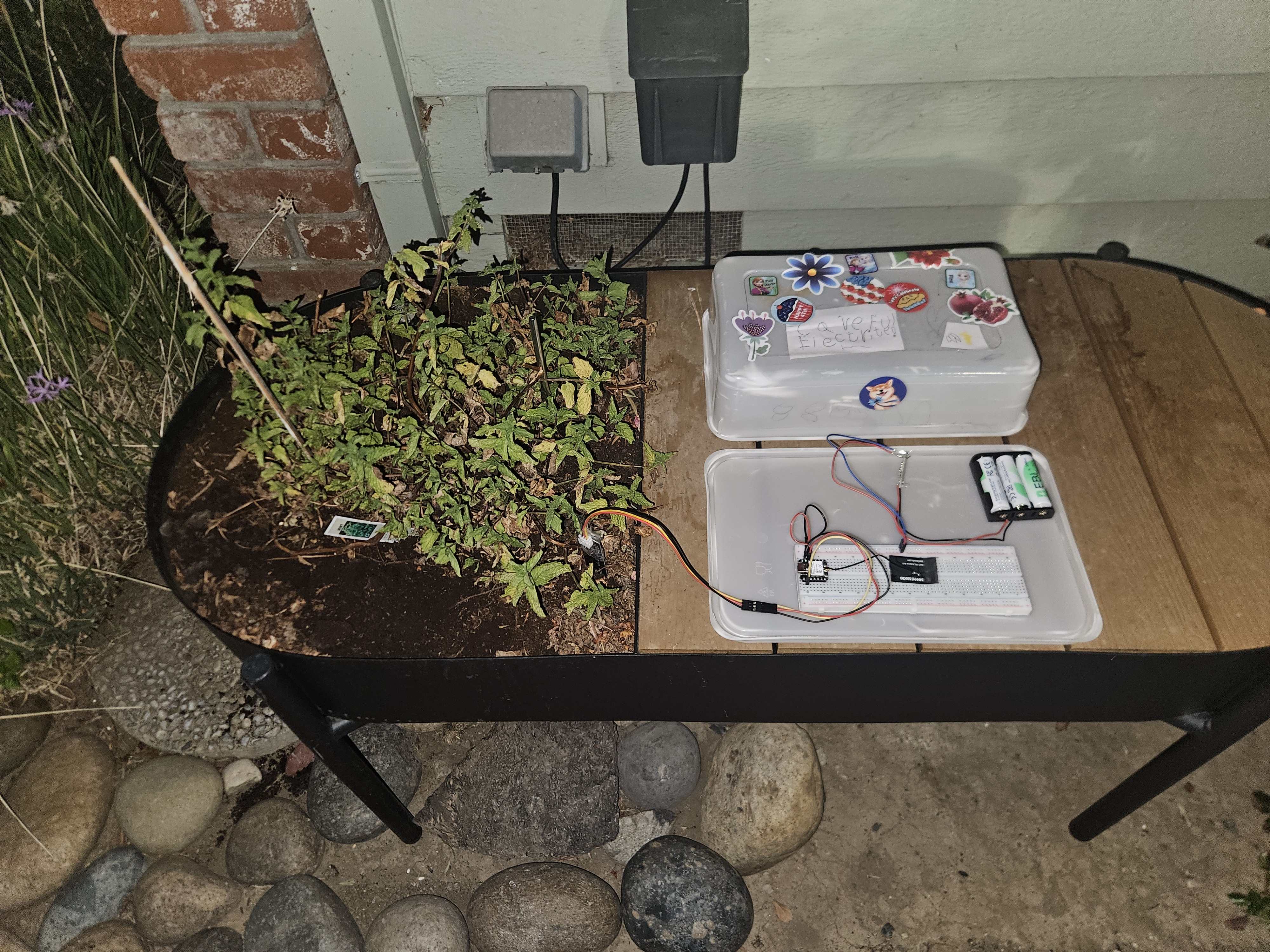
The power setup was relatively simple. Battery pack – 4V -> into a buck-boost converter – 3.3V -> breadboard -> into the XIAO ESP32-C3, which is connected to the sensor and powers it.
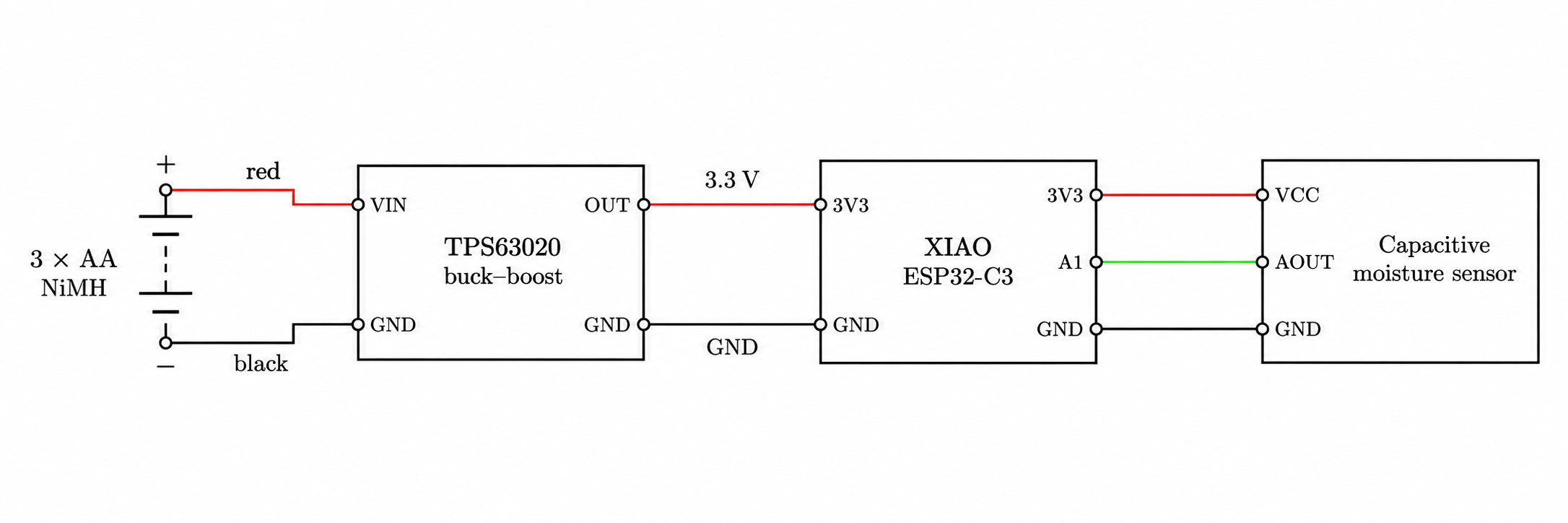
I made sure to test every step with a multimeter to verify everything was according to plan before connecting the next step. For example, I tested the battery pack directly, then the buck-boost converter after wiring the battery pack to it, and so on.
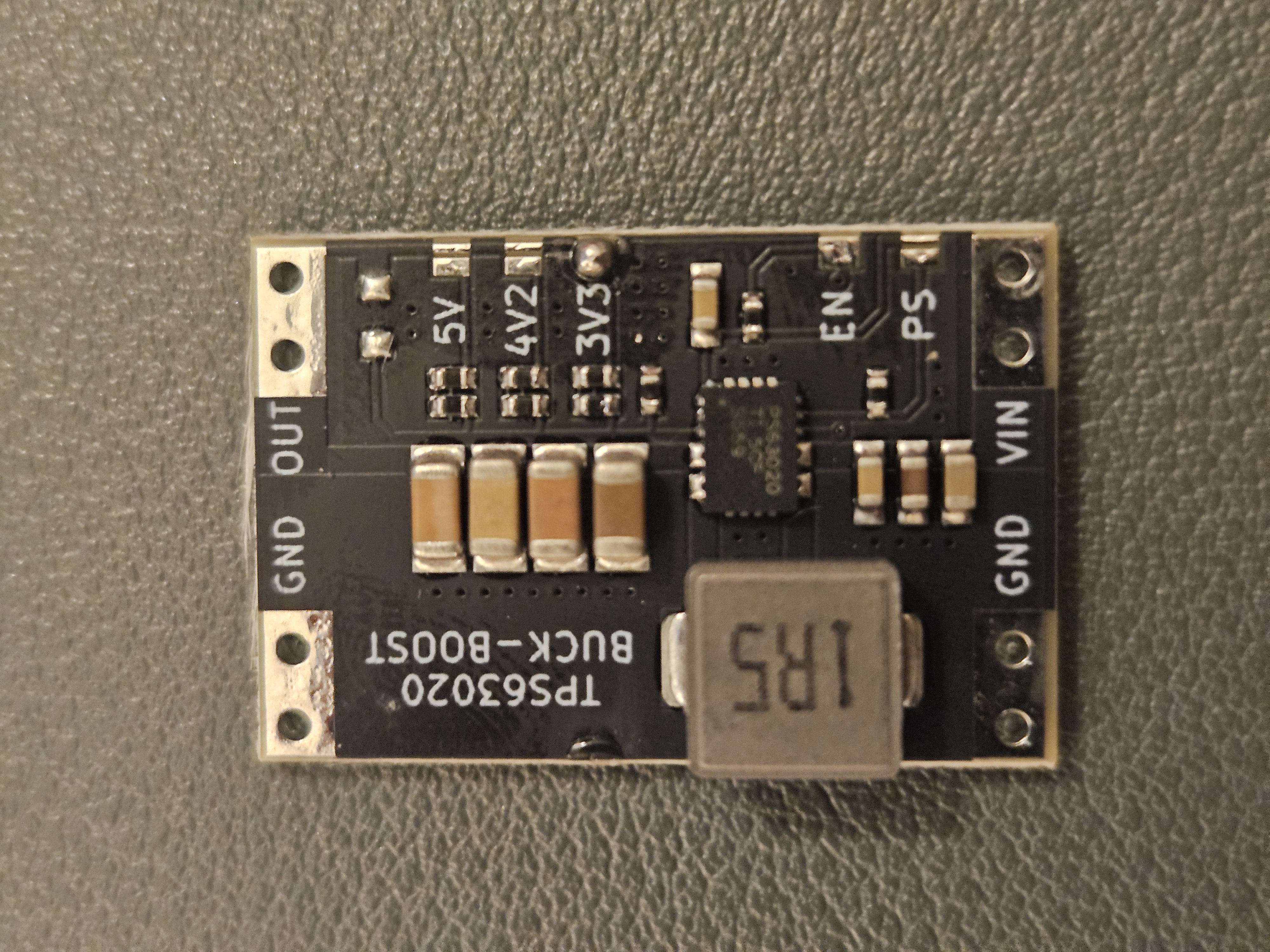
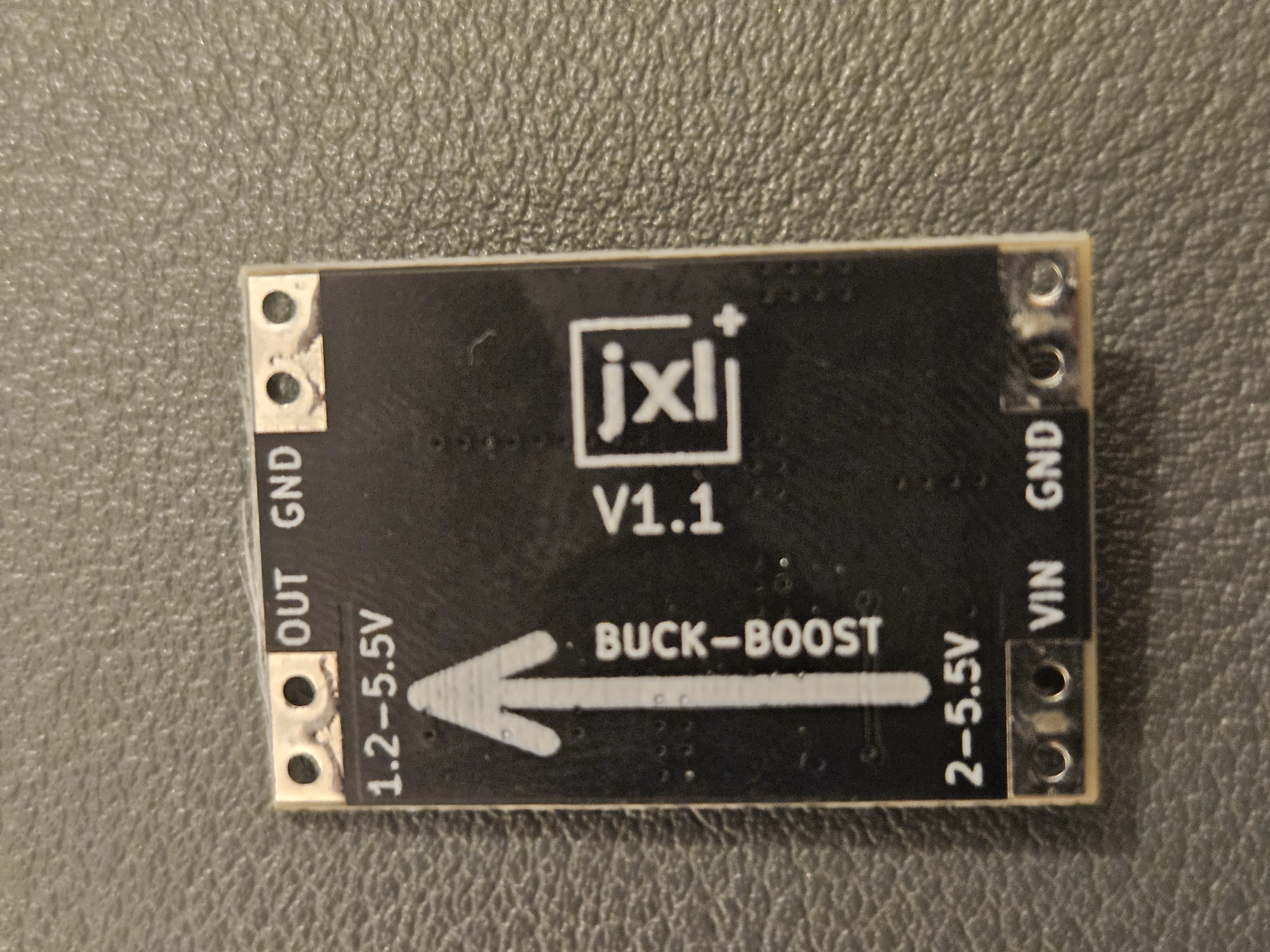
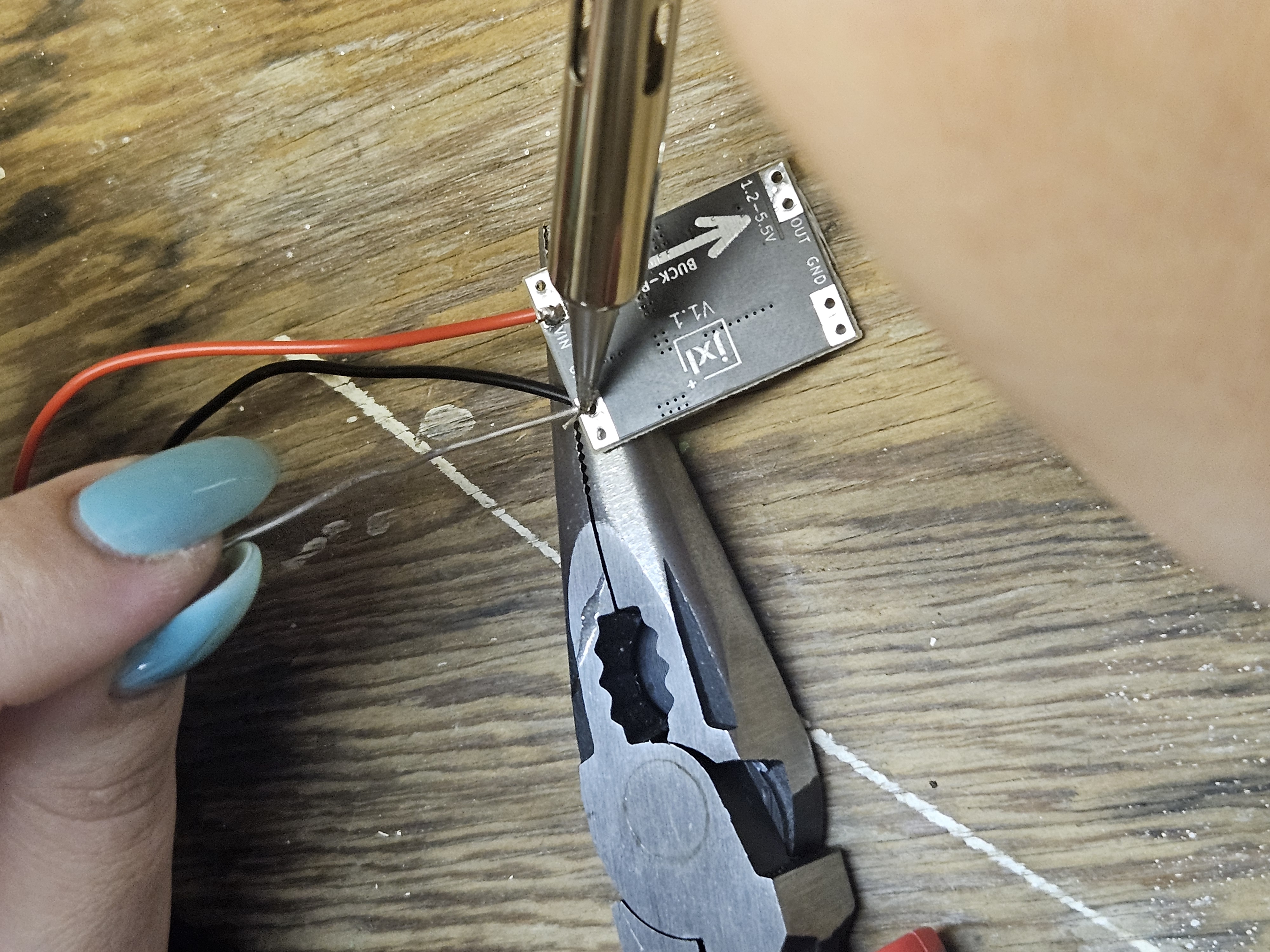
Since these parts are kinda small and I don’t have proper clamps to hold them down, we just sorta jigged them on top of some random tools.
All together, the power setup looks like this:
And, amazingly, after we finished connecting it, we heard the Telegram notification sound from the living room! That felt really great :)
5. Deployment
Fixing the code
Basically, the only change was from 10 * time.Second (useful for development, but very spammy) to const SLEEP_DURATION_BETWEEN_MEASUREMENTS = 2 * time.Hour.
Containerization
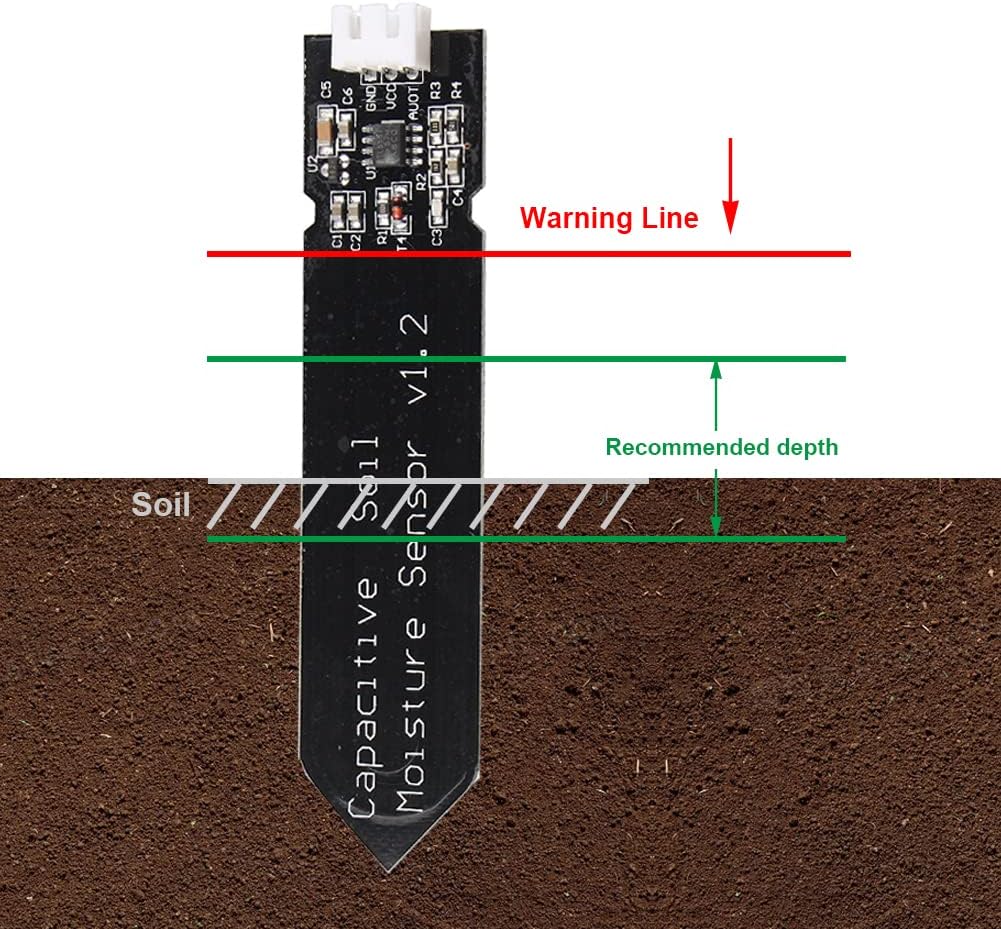
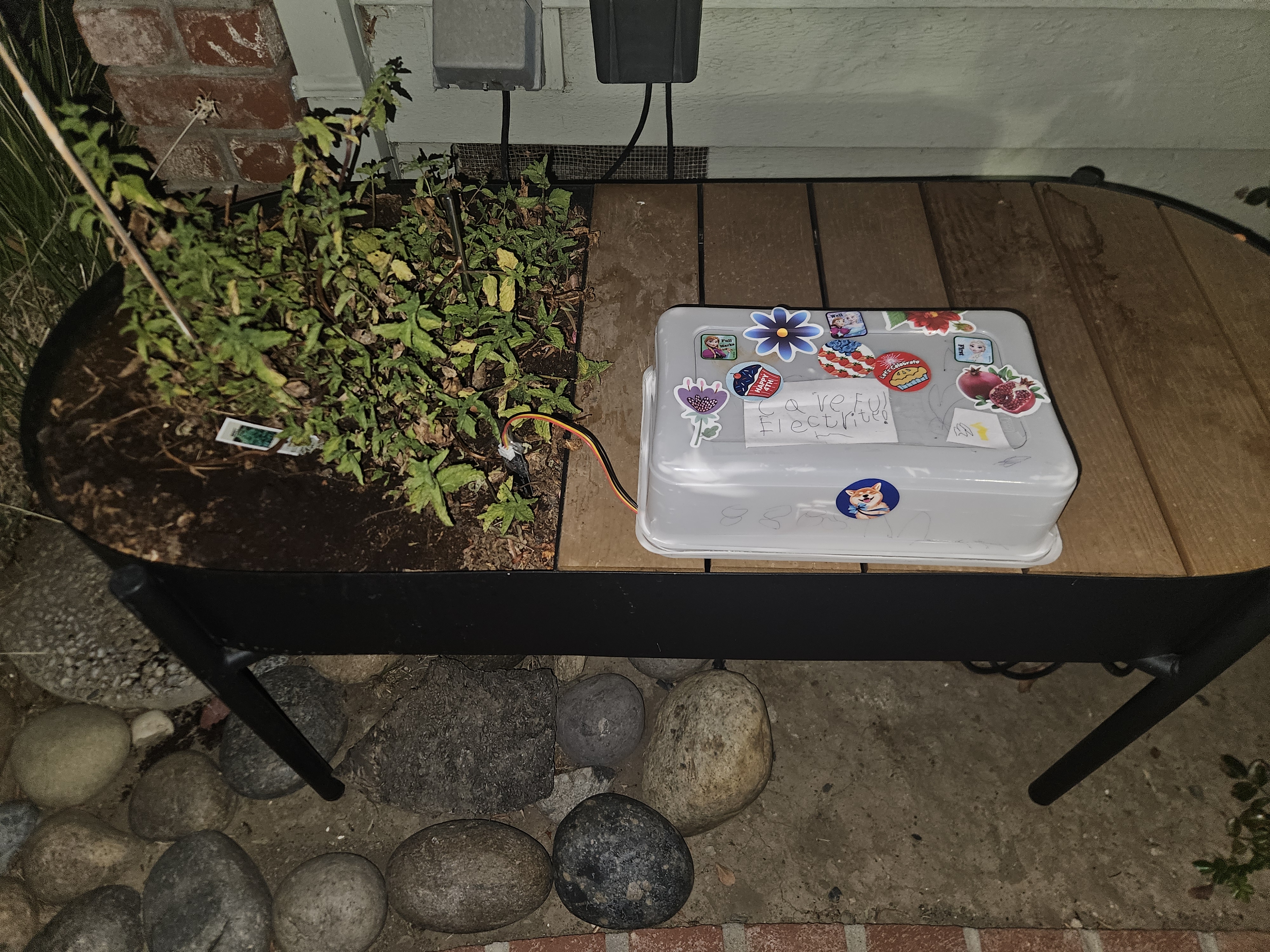
Not docker. I mean, literally. I grabbed an old takeout container, had my daughter pimp it up with stickers and put up a warning label: “Careful, Electricity!”, and put the whole thing inside. I wrapped the top of the sensor in some scotch tape to protect it from water, then “deployed” the whole project by putting it on the shelf next to the mint and putting the sensor into the ground. There’s a specific height:
With the pimping box my daughter made, the final project looks like this. Closed:
Open:
What now?
¯\_(ツ)_/¯ Well. I watered the plant.